
History and troubleshooting
Read invocation history, understand every rejection code, use the Live Request Inspector and replay past events.
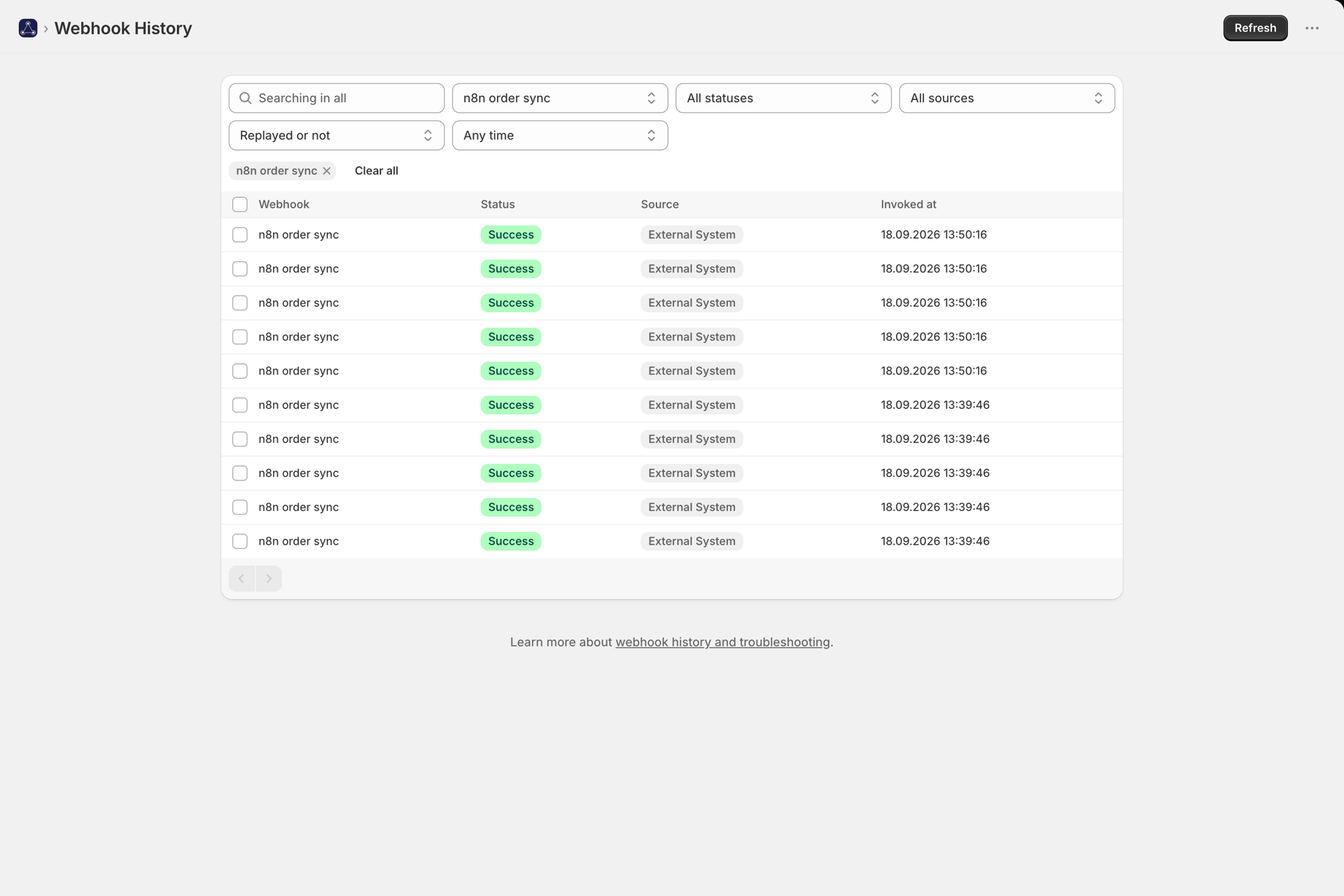
Every request that reaches a webhook is recorded - accepted or rejected. History is the first place to look when something did not happen.
Reading an invocation
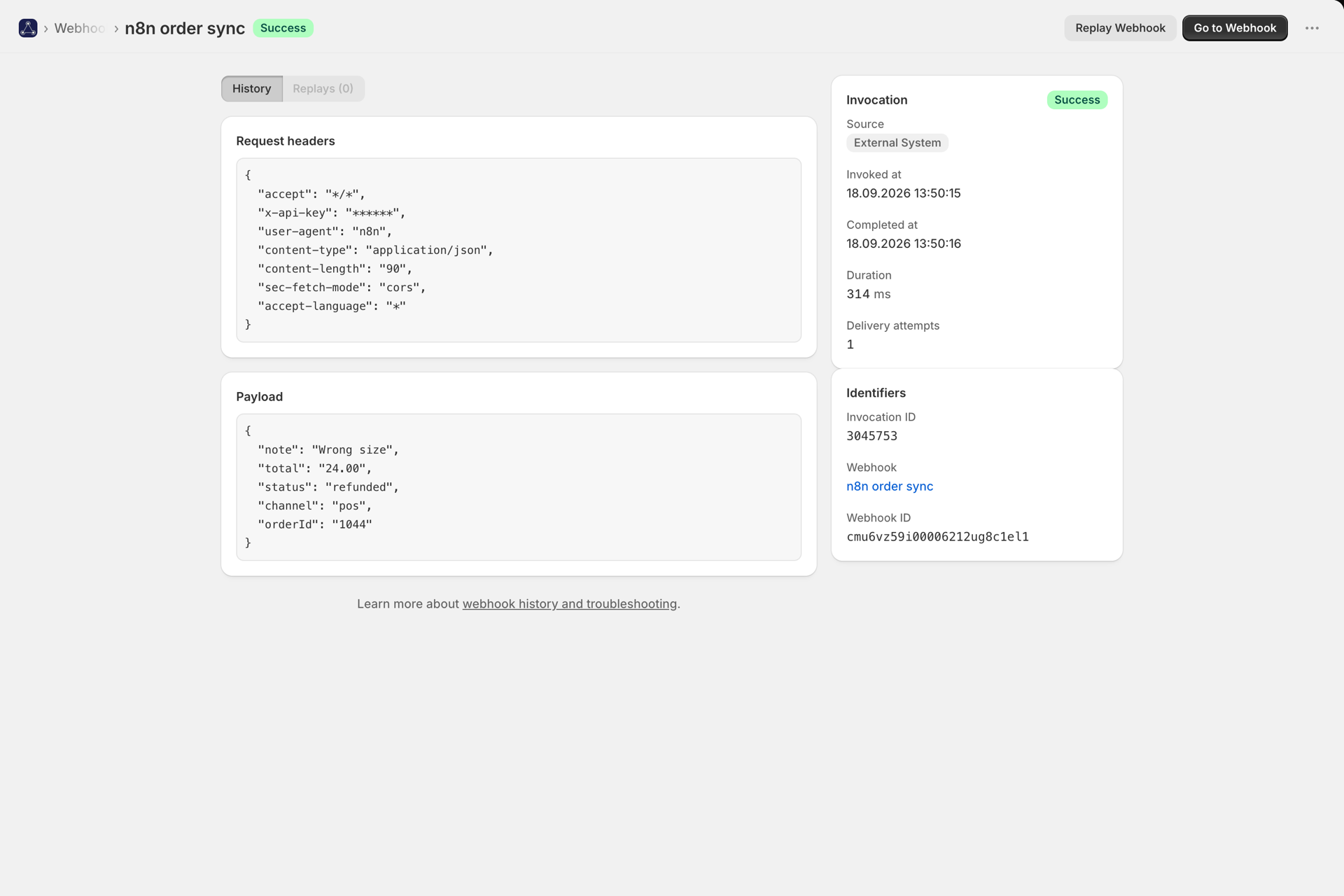
Open History and click an entry. You get the timestamp, status, caller, duration, the payload, the (masked) request headers, the query string, and for failures the error and every retry attempt.
| Status | Meaning |
|---|---|
| Pending | Accepted and queued, not yet delivered to Flow |
| Success | Shopify Flow accepted the trigger |
| Failed | Delivery failed permanently - the detail page shows why |
The Invoked by column tells you where a call came from: User (an external system),
Flow (a Flow action calling the webhook), Test (the Test button) or CURL.
Rejections, and what each one means
A rejected request never reaches Flow. The response body carries a machine-readable code:
| Code | HTTP | What went wrong | Fix |
|---|---|---|---|
webhook_not_found |
404 | Short code unknown | Check the URL; the webhook may have been deleted |
webhook_disabled |
400 | Webhook is switched off | Enable it on the webhook page |
unauthorized |
401 | Token missing or wrong | Check the token and the header name |
missing_signature |
401 | HMAC mode, no signature header | Send the signature header your preset expects |
invalid_signature |
401 | Signature did not match | Confirm the signing secret and that the body is unmodified in transit |
auth_not_configured |
401 | Auth mode set but no token saved | Save a token on the webhook |
invalid_json |
400 | The body is not valid JSON | Send valid JSON, or set the Content-Type your body really has (form data and XML are read too) |
invalid_body |
400 | A form or XML body could not be read, or the body is the literal null |
Send a JSON object, or a body that matches its Content-Type |
mapping_field_missing |
400 | A mapped field is absent from the payload | Send the field, or unmap it |
unexpected_fields |
400 | The body has fields that are not mapped | Map them, remove them, or turn on Allow custom request body |
ip_not_allowed |
403 | The caller's address is not on the webhook's IP allowlist | See IP allowlists |
invalid_proxy_signature |
401 | The app proxy address was called directly instead of through your shop's domain | Use the webhook URL exactly as the app shows it - see CORS, the app proxy URL and browser calls |
payload_too_large |
413 | Flow payload over 50KB | Send less, or turn off the request-data toggles |
quota_exceeded |
400 | Plan limit reached | See Plans and usage |
Live Request Inspector
While you have a webhook open in the editor, the inspector shows requests arriving in real time - including rejected ones, with the reason. This is by far the fastest way to debug a sender: fire a request and watch it land.
Suppressed duplicates also appear here, labelled as such - see Duplicate delivery protection.
Replay
Any past invocation can be replayed from its detail page. Replay re-sends the same payload through the same webhook.
Two things it is very good for:
- Building a Flow workflow. Record events on the Webhook Trigger, then replay a real call so Flow learns your actual field names.
- Recovering from a broken workflow. Fix the workflow, then replay the events that ran while it was wrong.
Replays are marked as such in history and do not count toward your plan.
Common situations
Calls arrive but the workflow does not run. Almost always the Webhook ID condition. A Webhook Trigger workflow receives events from every webhook you own, so it needs a condition matching the specific webhook id - see Create your first webhook.
The workflow runs twice. Either two workflows use the Webhook Trigger without distinct conditions, or your sender is retrying. History tells you which: two entries means two requests arrived. Turn on Duplicate delivery protection.
Nothing in History at all. The request never reached us. Check the URL and short code, and that your sender is not failing TLS or DNS on its side.
Status stuck on Pending. Delivery is retried with backoff; a permanent failure flips to Failed with the reason. If it stays pending unusually long, check status.codecreationlabs.cloud.