
Payload mapping and Flow variables
Map up to four payload fields to Flow variables using dot paths, and forward the raw body, headers or query string when four is not enough.
Shopify Flow trigger fields are flat strings. Your payload probably is not. Mapping is how you pick the parts of an incoming request that your workflow needs.
The four fields
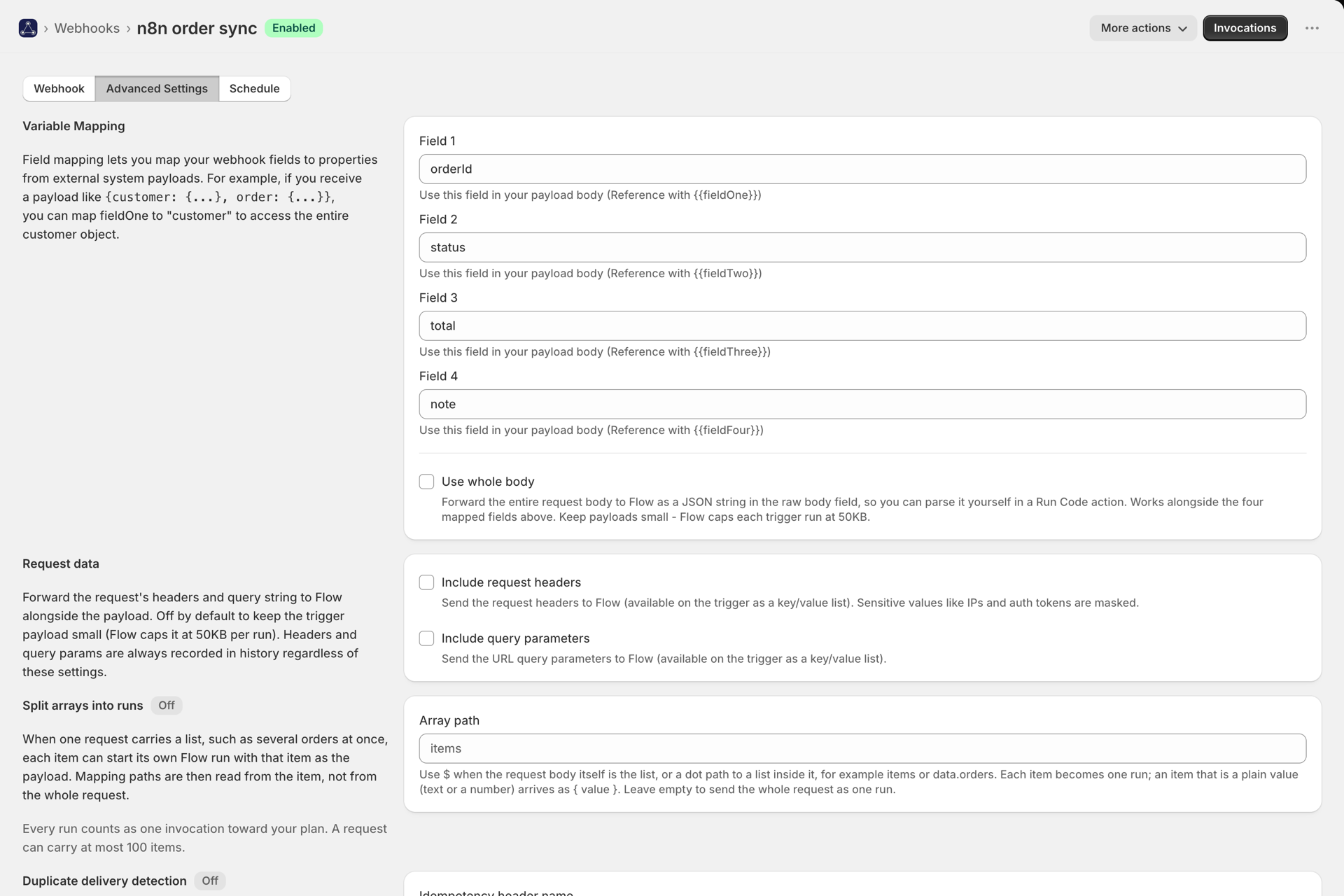
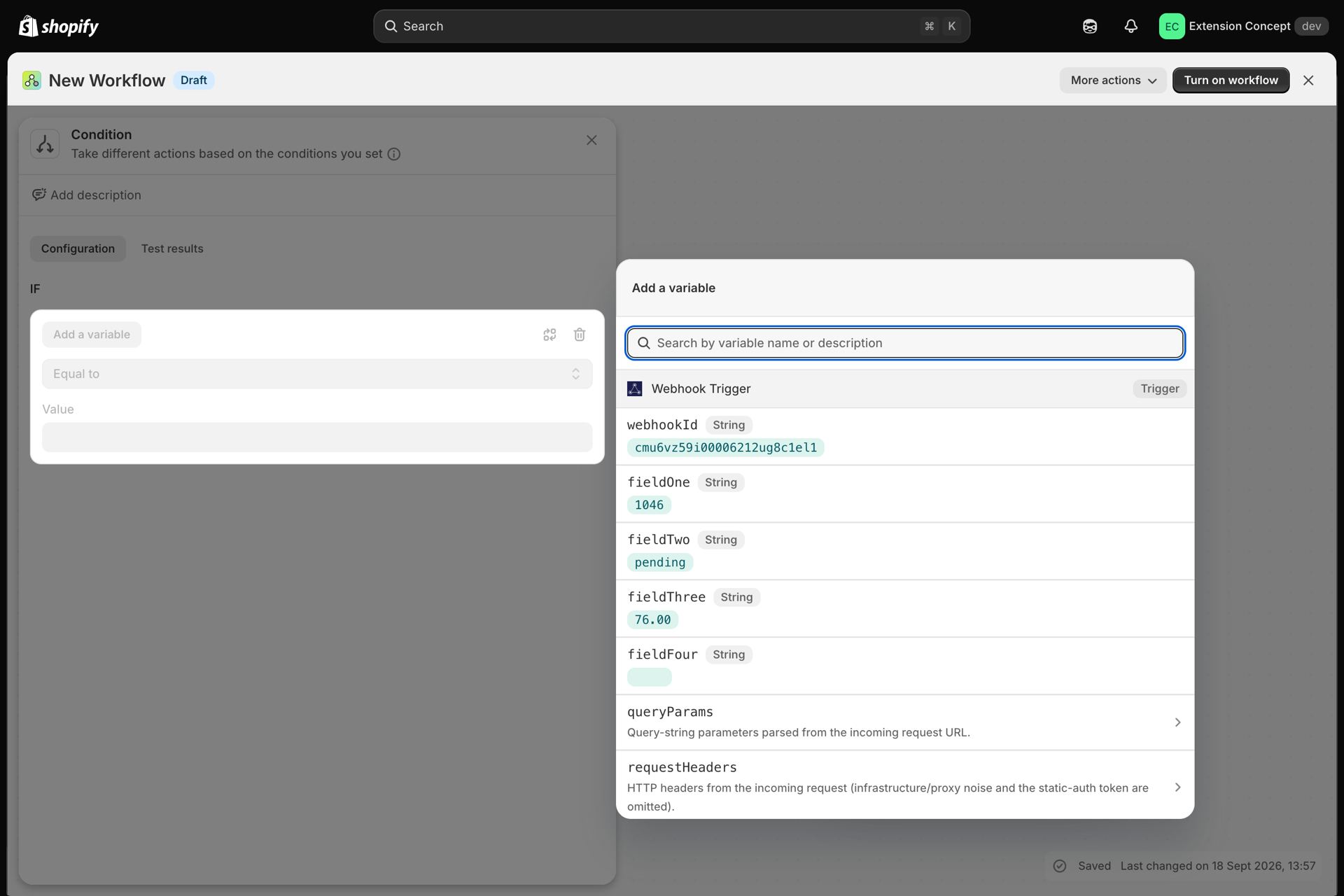
Every webhook exposes four fields to Flow: fieldOne, fieldTwo, fieldThree,
fieldFour. Under Advanced Settings, point each one at a key in your payload.
Given this request body:
{
  "orderId": "1001",
  "customer": { "email": "someone@example.com", "name": "Alex" },
  "note": "gift wrap"
}| Field | Map it to | Value that reaches Flow |
|---|---|---|
fieldOne |
orderId |
1001 |
fieldTwo |
customer.email |
someone@example.com |
fieldThree |
customer.name |
Alex |
fieldFour |
note |
gift wrap |
Nested values use dot paths (customer.email). Array elements use an index
(items.0.sku).
In Flow you reference them as {{fieldOne}}, {{fieldTwo}} and so on.
Objects and arrays
If a mapped value is itself an object or array, we convert it to a JSON string
automatically, because Flow variables cannot hold structures. Mapping fieldOne to
customer from the example above gives Flow:
{"email":"someone@example.com","name":"Alex"}Parse it in a Flow Run Code action when you need the pieces back.
When four fields are not enough
Four named fields cover most integrations. When they do not, you have three opt-in switches, all under Advanced Settings and all off by default:
| Setting | What Flow receives | Field in Flow |
|---|---|---|
| Allow Custom Request Body | Accepts any body shape without strict validation | - |
| Use whole body | The entire request body as a JSON string | rawBody |
| Include request headers | The request's headers as a key/value list | requestHeaders |
| Include query parameters | The URL query string as a key/value list | queryParams |
requestHeaders and queryParams arrive as lists - iterate requestHeaders.items in a
Run Code action, where each entry is { key, value }.
Keep it under 50KB
Shopify Flow caps each trigger run at 50KB. We measure the exact payload we would send
and reject anything larger with payload_too_large up front, so you get a clear error
instead of a workflow that fails later.
If you hit it, send a smaller body, or turn off Use whole body / Include request headers / Include query parameters - those are usually what pushes it over.
Headers and query are always recorded
The opt-in switches control only what is forwarded to Flow. Invocation history always records the headers and query string (with sensitive values masked), so you can debug a request without sending everything to your workflow.