

Introduction to Workflow Webhooks
Shopify Flow is powerful, but it only reacts to events inside Shopify. Workflow Webhooks removes that limitation. It gives you a secure URL endpoint that external systems can POST to - and when they do, your Shopify Flow workflow fires instantly, with the payload data passed in as usable variables.
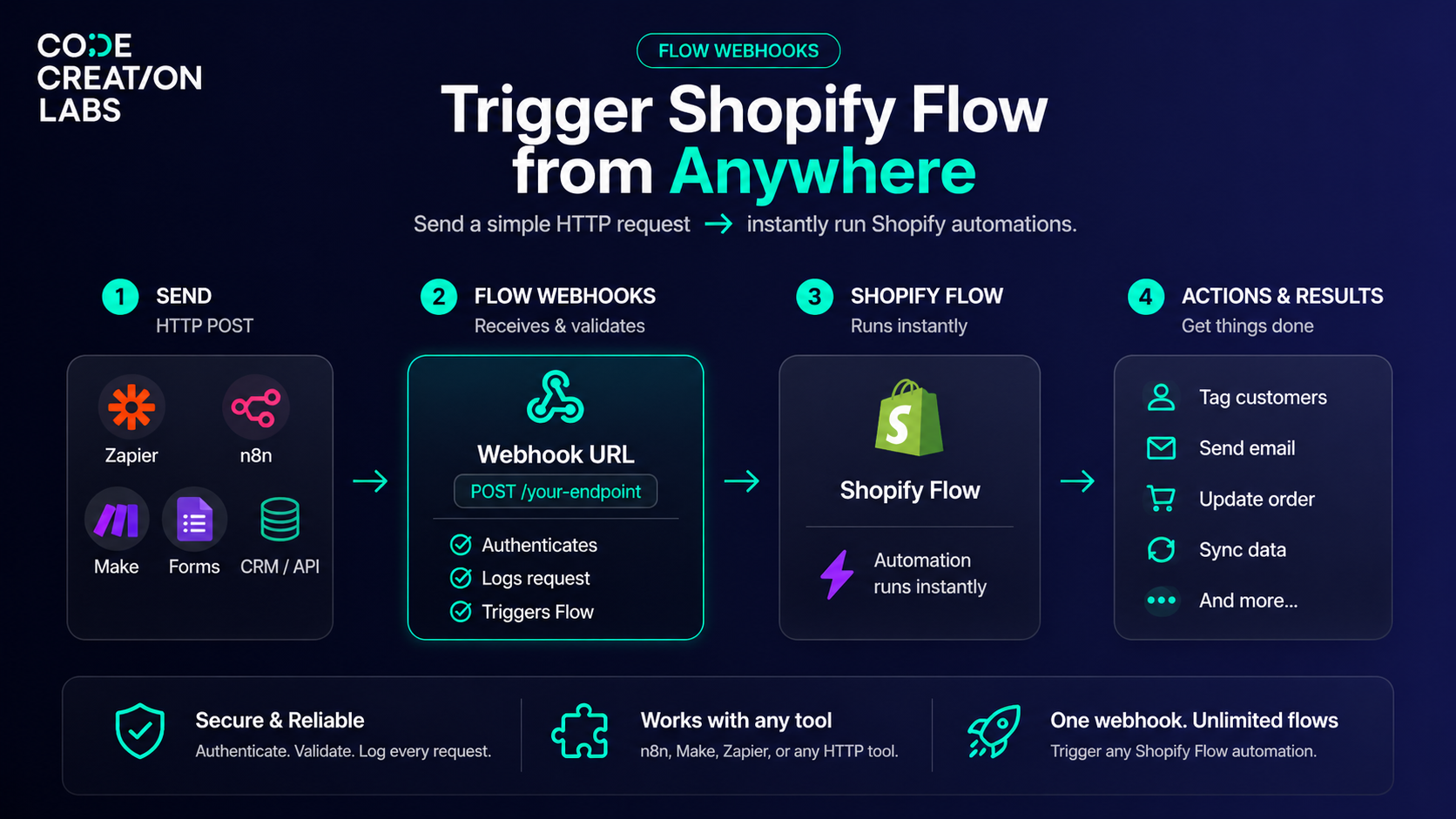
How it works
- Your external tool sends an HTTP POST to your webhook URL with a JSON payload (e.g. name, email, question). Works with n8n, Make, Zapier, or any HTTP-capable tool.
- Workflow Webhooks receives it, authenticates the request, logs it with full headers and payload, then fires the linked Shopify Flow trigger.
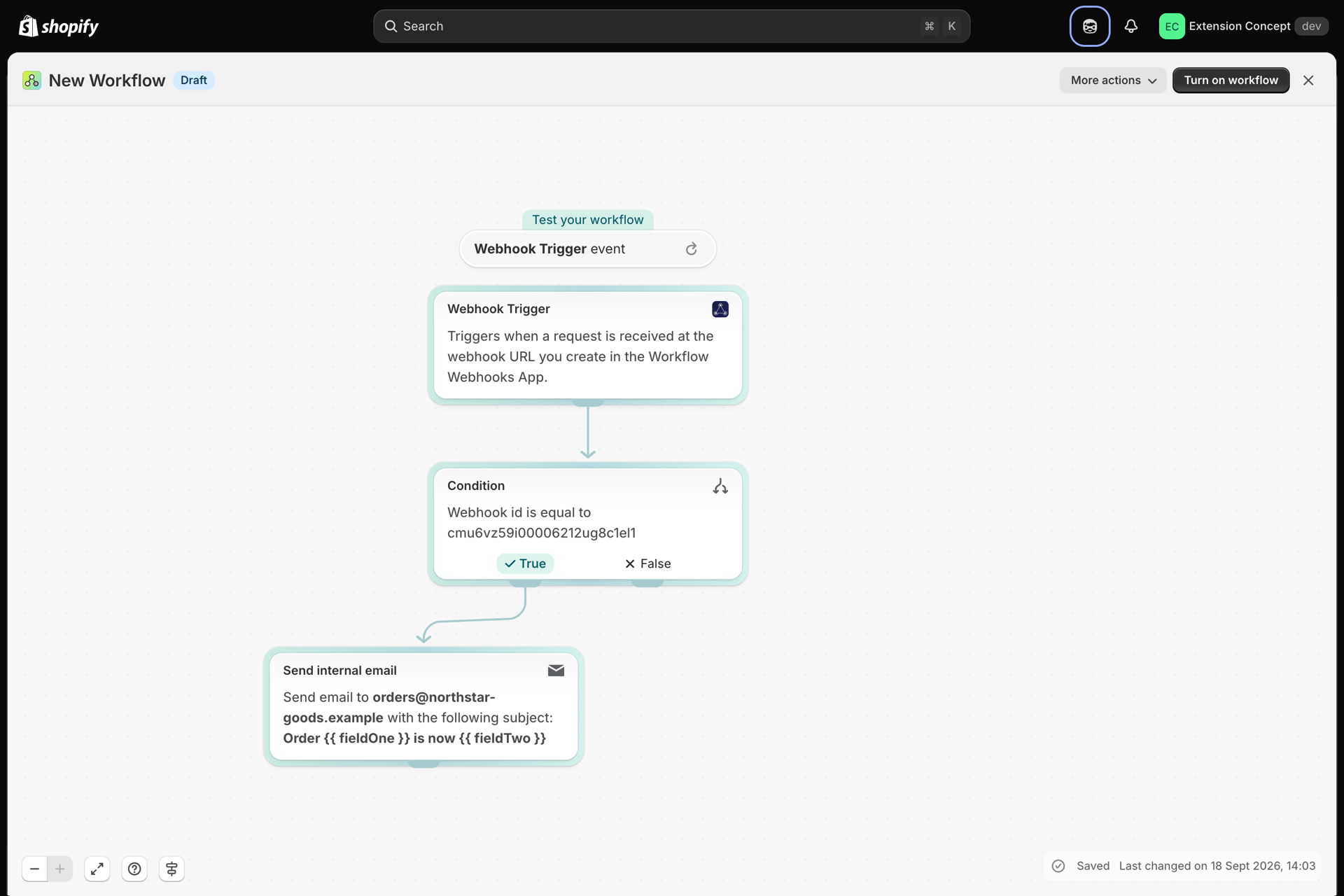
- Shopify Flow runs your automation - tag a customer, send an email, update a
metafield - using the payload data as named variables (
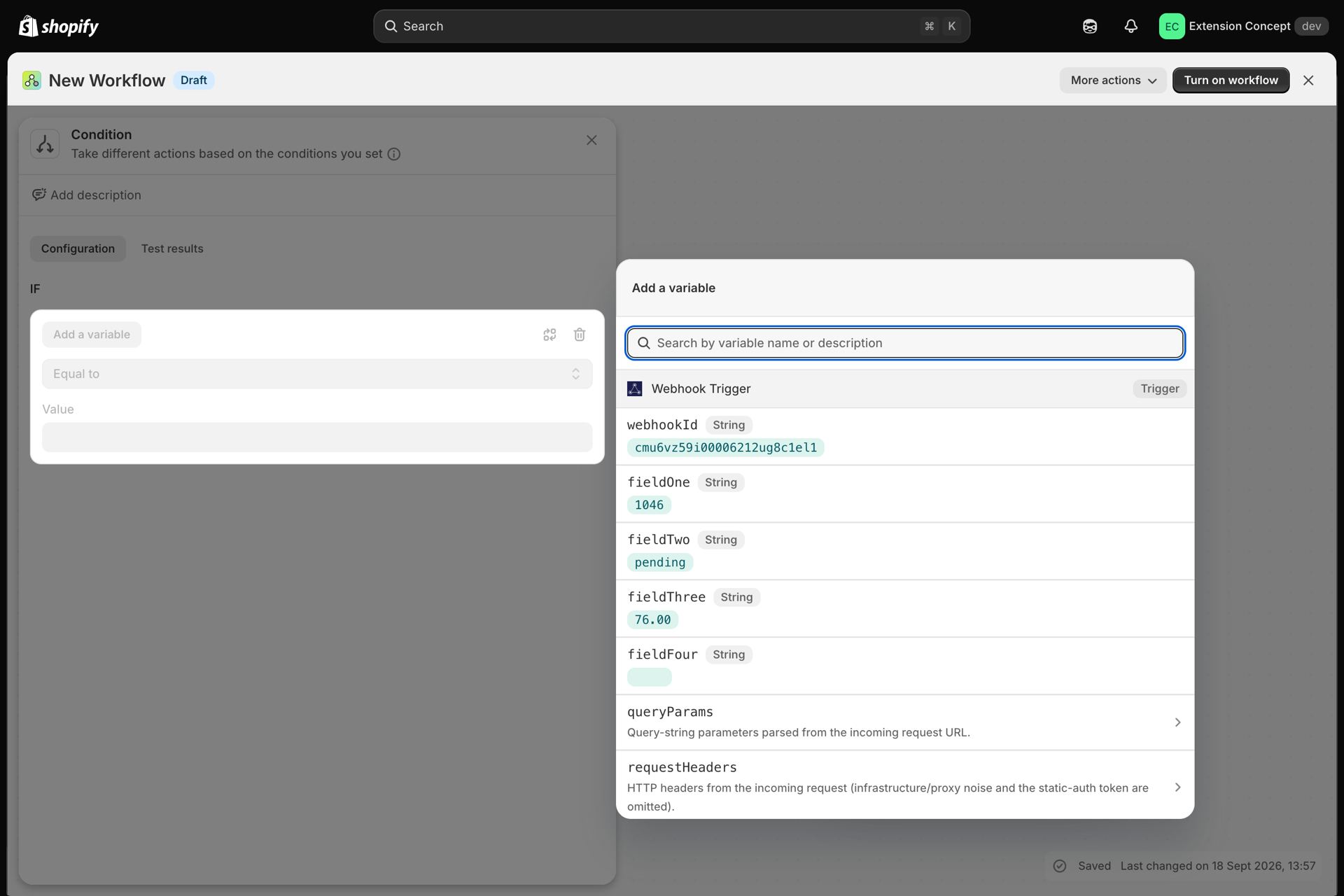
{{fieldOne}},{{fieldTwo}},{{fieldThree}},{{fieldFour}}). You can also send additional data if you tick Security -> Allow Custom Request Body on the webhook. - One webhook endpoint can power any Flow automation.
Features
| Feature | Description |
|---|---|
| Webhook triggers for Flow | Secure HTTP endpoints that start any Shopify Flow automation on demand |
| Variable mapping | Map payload fields to Flow variables, reference as {{fieldOne}}, {{fieldTwo}}, etc. |
| Authentication | Static Token (simple) or HMAC SHA256 (tamper-proof) |
| Invocation history | Full log of every request - timestamp, payload, headers, and status |
| CORS support | Enable for browser-based or frontend integrations |
| Custom request body | Accept flexible payload structures from third-party platforms |
| Webhook dashboard | Manage, monitor, and test all endpoints in one place |
| Duplicate protection | Ignore repeat deliveries that carry an event id you have already seen |
Authentication
| Method | How it works | Best for |
|---|---|---|
| None | No authentication | Testing only, not production |
| Static Token ✓ | Fixed token in the X-Api-Key header |
Most integrations (n8n, Make, Zapier) |
| HMAC SHA256 | Signature from payload + secret key | High-security or compliance |
Variable mapping
Workflow Webhooks lets you map fields in your incoming JSON payload to named variables that Shopify Flow can use. Define up to 4 field names in the Advanced Settings tab. You can also send additional data if you tick Security -> Allow Custom Request Body.
| Field in app | Your payload key | Reference in Flow |
|---|---|---|
| Field 1 | name |
{{fieldOne}} |
| Field 2 | email |
{{fieldTwo}} |
| Field 3 | question |
{{fieldThree}} |
| Field 4 | other |
{{fieldFour}} |
Duplicate delivery protection
Most systems retry a webhook when they don't get a fast reply. If the first attempt actually arrived, your Flow workflow runs twice for the same event - a second email, a second tag, a duplicate note.
If your sending system includes a unique id per event, name that header under Advanced Settings -> Duplicate delivery detection on the webhook and repeats are ignored.
| Behaviour | |
|---|---|
| First request with a given id | Processed normally, fires Flow |
| Repeat within 24 hours | 200 OK with duplicate: true - not sent to Flow |
| Different id | Processed normally |
| No such header on the request | Processed normally |
Common header names: Event-Id, Idempotency-Key, X-Request-Id. Matching is
case-insensitive.
# Second call with the same Event-Id is accepted but not re-sent to Flow
curl -X POST https://.../webhook/<short> \
  -H "Content-Type: application/json" \
  -H "Event-Id: evt_12345" \
-d '{"orderId":"1001"}'Common use cases
- Tag or update a Shopify customer when a form is submitted externally
- Trigger order or fulfillment actions from an n8n or Make workflow
- Sync contact data from a CRM or helpdesk into Shopify when a record changes
- Start a Shopify Flow when a Zapier automation completes
- Fire automations from a frontend form (with CORS enabled)
- Replace multiple single-purpose integrations with one unified webhook manager
Step-by-step integration guides
- How to connect n8n with Workflow Webhooks
- How to connect Make with Workflow Webhooks
- How to connect Zapier with Workflow Webhooks
What merchants say
"This app makes Shopify Flow 5x more useful. The developer is super easy to reach and extremely helpful." - SuperFast Startup, Portugal
"The missing piece for Shopify Flow - you only need one Flow to work with all your webhooks." - Senkels, Austria
"Exactly what I was trying to solve via a bunch of third-party apps. Highly recommend." - Aloha Tinyboards, United States
Install
Install Workflow Webhooks from the Shopify App Store
Support
Need a hand? See Support, or use the chat bubble on any page of the app in your Shopify admin.