
Verifying signed webhooks
Workflow Webhooks checks a sender's HMAC signature before Shopify Flow runs: 22 built-in providers, plus a custom signature for any other service.
Many services sign the webhooks they send, so the receiver can prove a request really came from them and was not changed on the way. Set a webhook's authentication to HMAC and the app checks that signature before anything reaches Shopify Flow. A request that fails the check is rejected with 401 and never runs a workflow.
There are two ways to set it up: pick your sender from the list, or describe how it signs.
Built-in providers
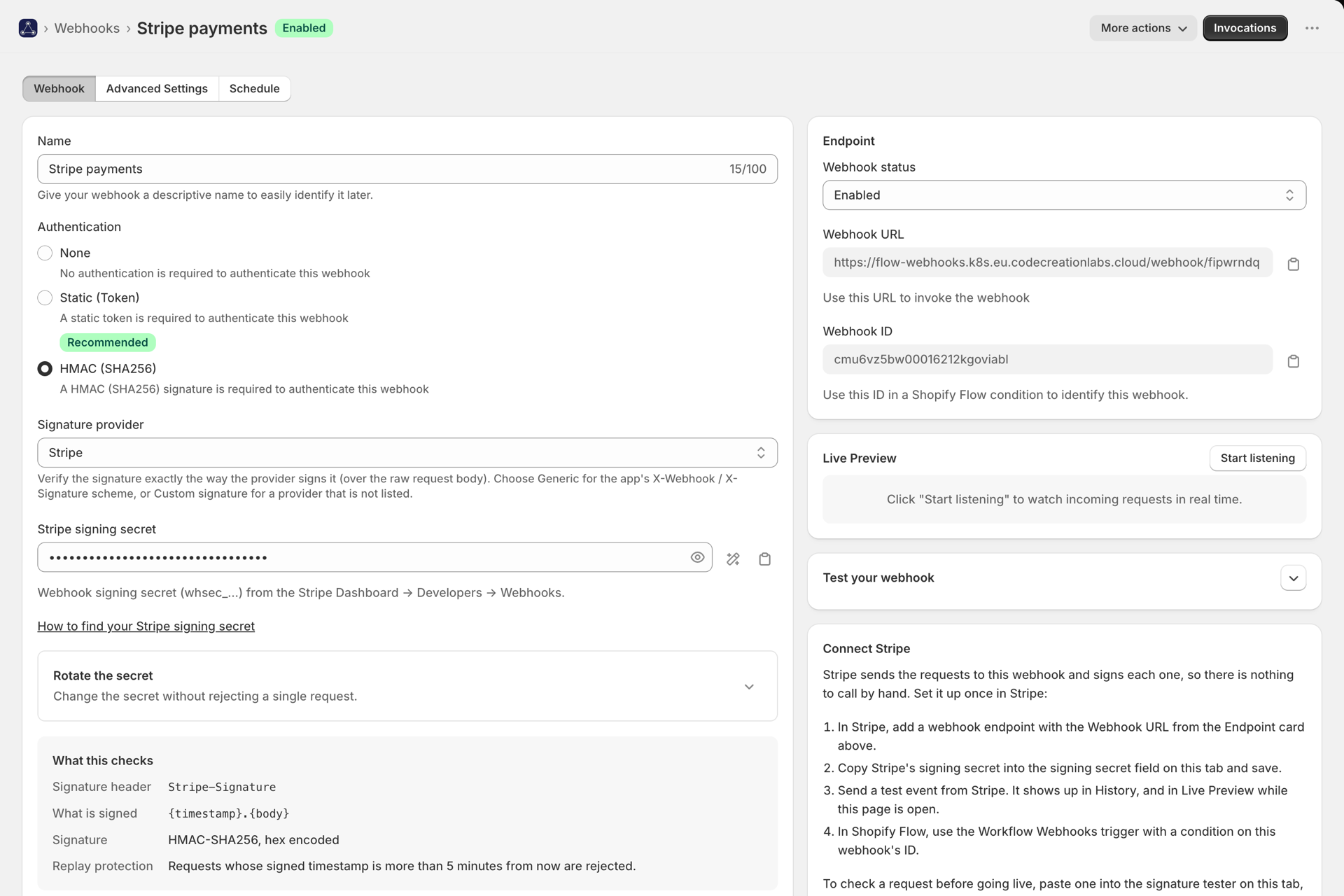
Choose the provider under Signature provider and paste its signing secret. The app then verifies the way that provider documents it - the right header, encoding, signed content and replay window - so there is nothing else to configure. Each provider has its own setup guide, from creating the endpoint to building the Shopify Flow workflow.
Every guide lists exactly what the app checks for that sender and where to find its signing secret.
Custom signature: any other sender
If your sender is not in the list, choose Custom signature and describe how it signs. Your provider's documentation will contain a line such as:
X-Acme-Signature = hex(hmac_sha256(secret, timestamp + "." + body))
That one line answers every field:
| Setting | From the example | What it means |
|---|---|---|
| Signature header | X-Acme-Signature |
The header carrying the signature |
| Algorithm | hmac_sha256 |
SHA-256, SHA-1 or SHA-512 |
| Encoding | hex |
hex, base64 or base64url |
| Signed payload | {timestamp}.{body} |
The exact text that was signed |
| Timestamp | a header such as X-Acme-Timestamp |
Where the timestamp value travels |
| Replay tolerance | 300 seconds | Reject requests older than this |
The signed payload
Write what the sender signs using these placeholders:
| Placeholder | Becomes |
|---|---|
{body} |
The raw request body, byte for byte. Required. |
{timestamp} |
The timestamp from the header or signature header |
{url} |
This webhook's URL, as you entered it at the sender |
{header:name} |
The value of another request header |
Common shapes: {body}, {timestamp}.{body}, {timestamp}{body}, v0:{timestamp}:{body}, {header:webhook-id}.{timestamp}.{body}. Use Start from a provider to copy a close match and change only what differs.
Where the signature sits
- Plain: the header value is the signature, optionally after a prefix you name, such as
sha256=orv1,. - Key = value: the header holds pairs such as
t=1700000000,v1=abc.... Name the key that holds the signature (v1), optionally the key that holds the timestamp (t), and whether pairs are separated by,or;.
If a header carries several signatures separated by spaces, which some senders do while you rotate a secret, any one that matches is accepted.
The secret
Usually you paste the secret as the sender shows it. Some senders give a base64-encoded key with a prefix, like whsec_...: choose base64-encoded and enter the prefix to strip.
Testing before you go live
The signature tester sits below the settings and works with unsaved changes.
- Paste a real request's body and headers and press Verify. You get every step - header found, signature read, timestamp in range, payload built, signatures compared - and the exact text that was signed, so a mismatch shows you where it went wrong rather than a bare "invalid signature".
- Generate a valid example produces correctly signed headers and a ready-to-run
curlfor your current settings. If that request is accepted, your configuration is consistent end to end.
The tester never starts a workflow, writes nothing to History and does not count toward your plan.
The signature does not match. What should I check?
In this order: the secret (the most common cause, including an extra space or the wrong environment's key), the signed payload (a missing . or : between timestamp and body), the encoding (hex vs base64), and whether something between the sender and the app changed the body. Signatures cover the raw bytes, so a proxy that re-formats JSON breaks them.
Requests fail with "timestamp outside tolerance"
The sender's clock is off, the request was delayed or retried with an old timestamp, or the timestamp unit is wrong. Check whether your sender uses seconds, milliseconds or an ISO date.
My sender needs a verification handshake first
Some services (Zoom, Dropbox, Asana, Trello, Notion) send a verification challenge that the endpoint has to answer before they deliver any events, each in its own way. They are not offered as one-click providers for that reason. Contact support with your sender's name if you need one of them.
Is the signature stored anywhere?
No. Signature headers are masked in History and in the Live Request Inspector, because a signature can be replayed within its tolerance window.